What Is a Professional Email Writing Format?
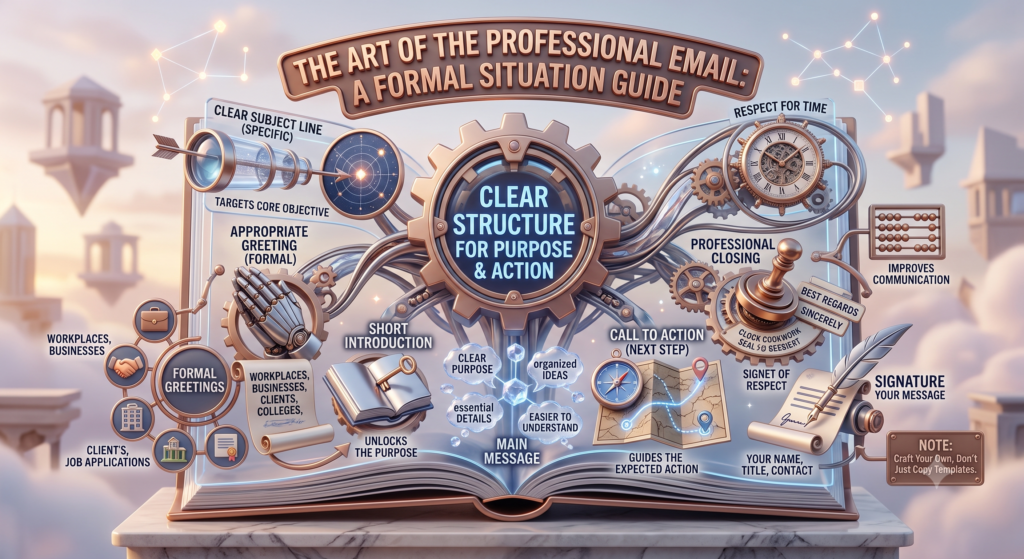
A Professional Email Writing Format is a clear structure used to write emails for workplaces, businesses, clients, colleges, job applications, and other formal situations. It helps the reader understand the purpose of the email quickly and know what action is expected.
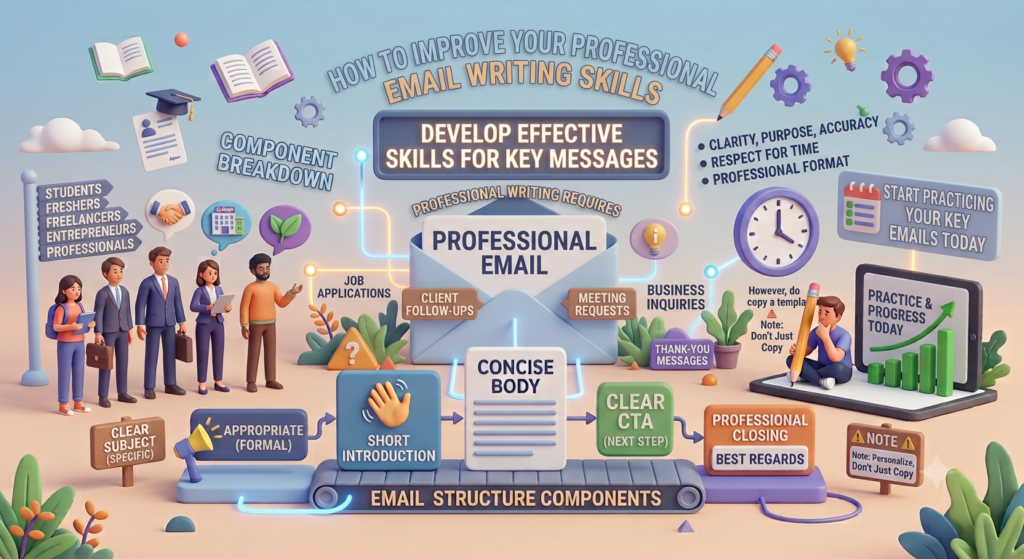
A professional email usually includes a clear subject line, appropriate greeting, short introduction, main message, call to action, professional closing, and signature. Following a consistent structure makes communication easier and creates a positive professional impression.
Whether you are applying for a job, contacting a client, requesting leave, or sending a business inquiry, knowing the right email structure can improve your Professional Email Writing Format communication skills and make your message more effective.
Why Is a Professional Email Writing Format Important?
Email is one of the most common forms of business communication. A well-structured email can save time, reduce confusion, and help the recipient understand your message without reading unnecessary information.
A good Professional Email Writing Format is important because it helps you:
- Create a professional first impression
- Communicate your purpose clearly
- Make emails easier to read
- Encourage faster responses
- Build better relationships with clients and colleagues
- Present information in an organized way
- Avoid misunderstandings
For students and freshers, strong email writing skills can also be useful during job applications, internships, interviews, and workplace communication.
7 Essential Elements of a Professional Email Writing Format
A professional email does not need complicated language. It needs a logical structure and a clear purpose. Here are seven important elements to include.
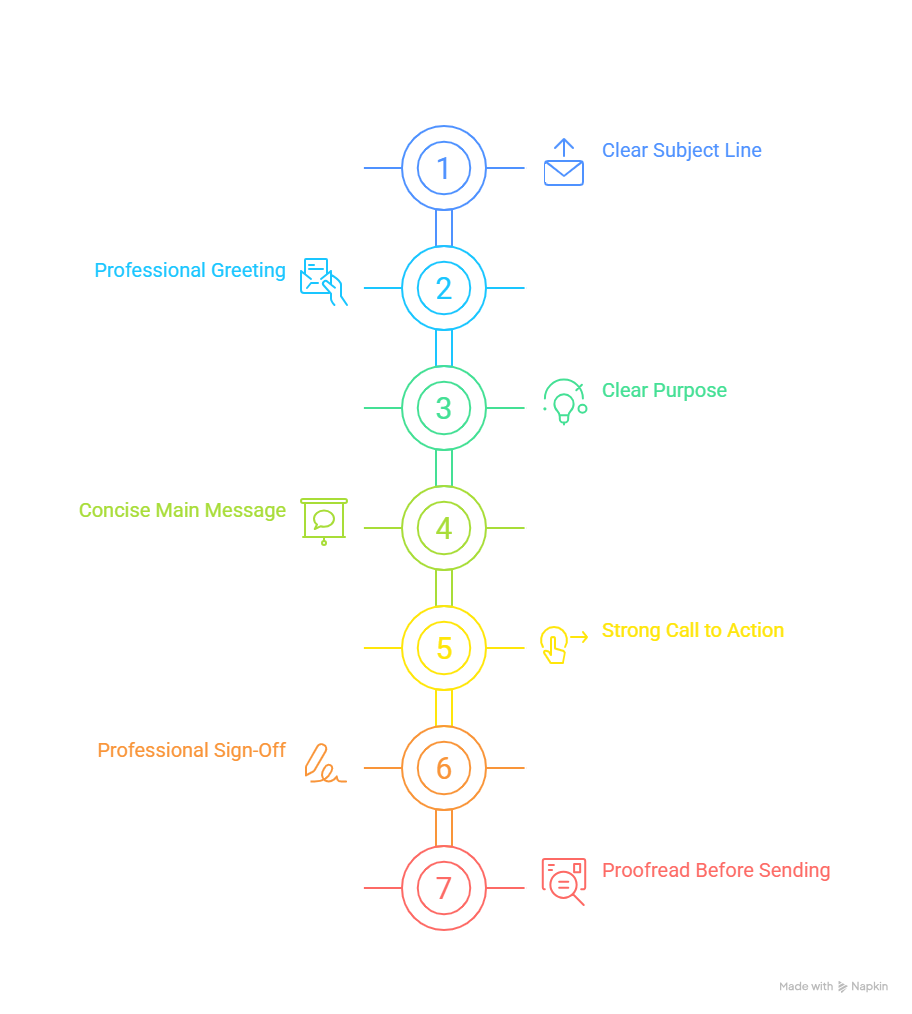
1. Write a Clear Subject Line
The subject line tells the recipient what the email is about before they open it. Keep it short, specific, and relevant.
Weak:
“Important”
Better:
“Interview Confirmation for Marketing Intern Position”
A good email subject line improves clarity and helps the recipient prioritize the message.
2. Use a Professional Greeting
Start with an appropriate greeting. If you know the person’s name, using it is generally a good choice.
Examples include:
- Dear Mr. Sharma,
- Dear Ms. Gupta,
- Hello Rahul,
- Dear Hiring Manager,
Avoid overly casual greetings when writing to a client, recruiter, manager, or business contact.
3. Start With a Clear Purpose
Tell the recipient why you are writing. Do not make them search through a long introduction to find the main point.
For example:
“I am writing to inquire about the Digital Marketing Internship position advertised on your website.”
This direct Professional Email Writing Format approach makes business email writing more effective.
4. Keep the Main Message Concise
The body of an email should provide all necessary information without becoming unnecessarily long.
Use short paragraphs and separate different points when needed. If you have several items to communicate, consider using bullet points.
A good Professional Email Writing Format focuses on clarity rather than complicated vocabulary.
5. Add a Strong Call to Action
Tell the recipient what you would like them to do next.
Examples:
- “Please confirm your availability for the meeting.”
- “Kindly share the required documents.”
- “I would appreciate your feedback by Friday.”
- “Please let me know if you need any additional information.”
A clear CTA prevents the recipient from wondering what response you expect.
6. Use a Professional Sign-Off
End the email politely. Common professional sign-offs include:
- Regards,
- Best regards,
- Sincerely,
- Kind regards,
Choose the closing according to the relationship and purpose of the email.
7. Proofread Before Sending
Before clicking “Send,” check the email for spelling, grammar, punctuation, names, dates, attachments, and links.
Even a well-written email can look unprofessional if it contains avoidable mistakes.
Professional Email Writing Format Example
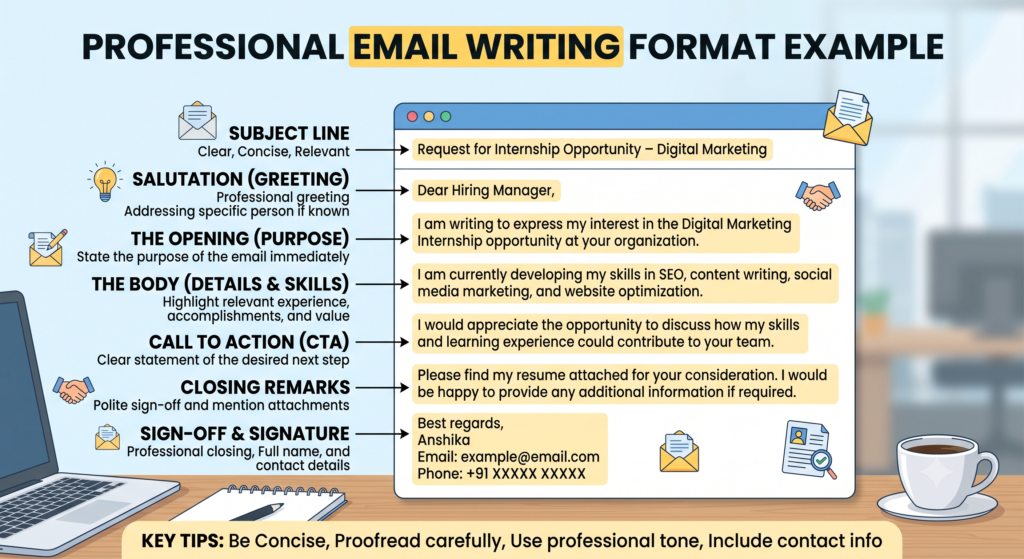
Here is a simple example of a professional email:
Subject: Request for Internship Opportunity – Digital Marketing
Dear Hiring Manager,
I am writing to express my interest in the Digital Marketing Internship opportunity at your organization. I am currently developing my skills in SEO, content writing, social media marketing, and website optimization.
I would appreciate the opportunity to discuss how my skills and learning experience could contribute to your team.
Please find my resume attached for your consideration. I would be happy to provide any additional information if required.
Best regards,
Anshika
Email: example@email.com
Phone: +91 XXXXX XXXXX
This example follows a simple Professional Email Writing Format because it includes a relevant subject, greeting, purpose, supporting information, CTA, closing, and signature.
Professional Email Writing Format for Different Situations
Different situations require slightly different approaches. The basic structure remains similar, but the tone and information can change.
Job Application Email
A job application email should introduce you, mention the position, highlight relevant skills, and direct the reader to your resume or portfolio.
Keep the message brief and professional.
Leave Request Email
A leave request should clearly mention the reason, dates, and expected return date.
For example:
“I would like to request leave from 12 September to 14 September due to a personal commitment.”
Business Inquiry Email
A business inquiry should clearly explain what information, product, service, or quotation you need Professional Email Writing Format.
Avoid sending vague messages such as “I want details.” Instead, specify exactly what you are asking for.
Client Follow-Up Email
A follow-up email should politely remind the client about your previous communication.
For example:
“I am following up on my previous email regarding the proposal shared last week.”
Thank-You Email
A thank-you email can be short but meaningful. Mention what you are thankful for and, where relevant, express interest in staying connected.
Meeting Request Email
Clearly mention the purpose of the meeting and suggest a suitable time or ask for the recipient’s availability.
This structured approach makes the Professional Email Writing Format useful across many workplace situations.
Common Mistakes to Avoid in Professional Email Writing
Even when you know the basic Email Writing Format, certain mistakes can reduce the effectiveness of your message.
Avoid:
- Writing unclear subject lines
- Starting with overly casual language
- Making emails unnecessarily long
- Hiding the main purpose
- Forgetting attachments
- Using excessive emojis
- Sending emails without proofreading
- Using complicated vocabulary
- Leaving out an important CTA
- Writing in all capital letters
Another common mistake is sending the same generic email to everyone. Personalizing your message when appropriate can make communication more relevant and professional.

Professional Email Writing Tips for Better Communication
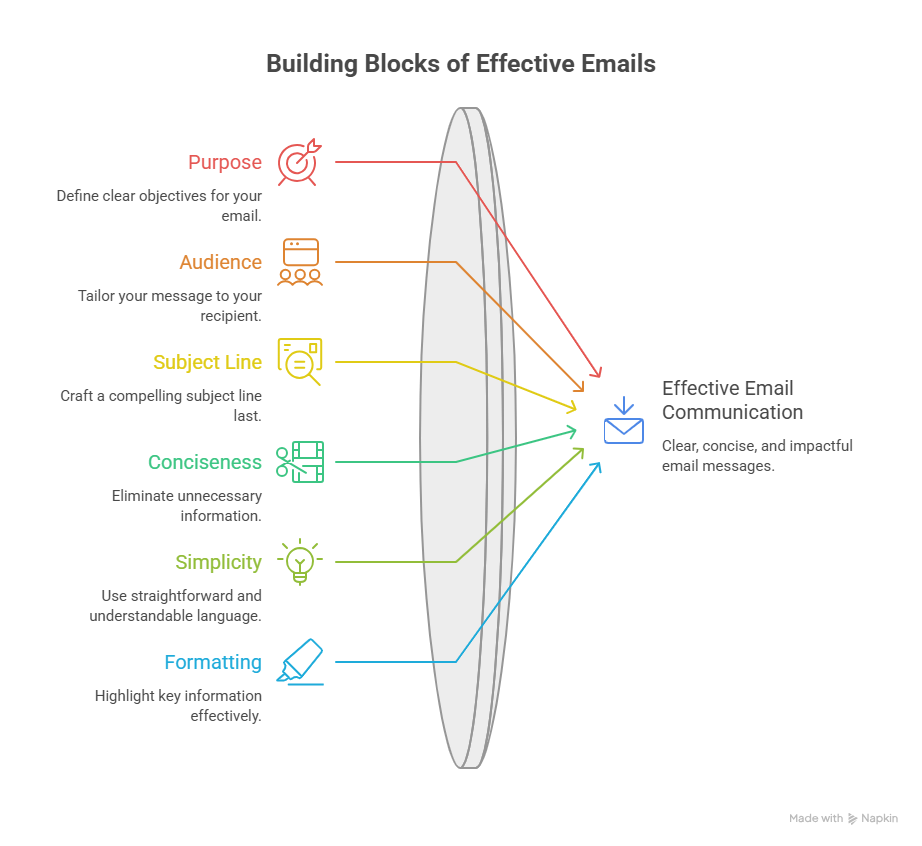
Want to improve your email writing skills? Follow these practical tips:
- Know your purpose: Decide what you want the recipient to understand or do.
- Know your audience: Adjust your tone according to the person receiving the email.
- Write the subject last: Writing the body first can help you create a more accurate subject line.
- Keep it concise: Remove information that does not support your main purpose.
- Use simple language: Professional does not mean complicated.
- Highlight important information: Use short paragraphs or bullet points.
- Check attachments: Make sure every mentioned attachment is actually attached.
- Proofread: Read your email once before sending it.
- Use a professional address: Avoid inappropriate or overly casual email addresses for business communication.
- Respect the recipient’s time: Get to the point while remaining polite.
For students learning Digital Marketing, practicing these techniques can strengthen both Email Communication Skills and overall Business Communication.
Professional Email Writing Format vs Casual Email Format
| Feature | Professional Email | Casual Email |
|---|---|---|
| Tone | Formal or polite | Friendly and relaxed |
| Greeting | Dear/Hello + Name | Hi/Hey + Name |
| Language | Clear and professional | Informal |
| Structure | Organized | Flexible |
| Length | Concise and focused | Can be more conversational |
| Closing | Regards/Best regards | Thanks/See you |
| Purpose | Work, business, applications | Friends and personal communication |
Understanding this difference helps you select the right tone for every situation.
Email Etiquette Rules Everyone Should Know
Good email etiquette is an important part of professional communication.
Follow these rules:
- Use a meaningful subject line.
- Address the recipient appropriately.
- Avoid unnecessary “Reply All.”
- Do not send sensitive information carelessly.
- Check recipients before sending.
- Respond within a reasonable timeframe.
- Avoid emotional replies when you are frustrated.
- Use CC and BCC carefully.
- Keep professional emails focused.
- Proofread before sending.
The goal of email etiquette is not to make communication complicated. It is to make communication respectful, clear, and efficient.
Organizations and digital marketing training platforms such as Dizital Mantras can also help learners understand practical communication skills that are useful in professional environments.
How to Improve Your Professional Email Writing Skills
Improvement comes with practice. Instead of memorizing one Professional Email Format, learn the principles behind effective communication.
Start by reading professional emails and observing how they structure their subject lines, introductions, requests, and closings.
You can also create templates for frequently used situations, such as:
- Job applications
- Client follow-ups
- Meeting requests
- Business inquiries
- Thank-you messages
However, do not copy a template without adapting it to the recipient. Personalization makes an email feel more relevant.
Another useful technique is to remove unnecessary words after writing your first draft. Ask yourself: Can the recipient understand my purpose within a few seconds?
If the answer is yes, your email is probably clear and focused.
Frequently Asked Questions About Professional Email Writing Format
1. What is a Professional Email Writing Format?
A Professional Email Writing Format is a structured way to create clear and formal emails. It generally includes a subject line, greeting, introduction, main message, call to action, closing, and signature. This structure helps businesses, students, employees, and professionals communicate information effectively.
2. How do you write a professional email?
Start with a specific subject line and an appropriate greeting. Clearly explain why you are writing, provide the necessary information, state the action you expect, and finish with a polite closing and professional signature. Always proofread your email before sending it.
3. What are the 7 parts of a professional email?
The seven essential parts are a clear subject line, professional greeting, clear purpose, concise main message, call to action, professional sign-off, and signature. Proofreading should also be part of your final sending process.
4. How long should a professional email be?
A professional email should generally be as short as possible while still providing the information the recipient needs. Simple requests may require only a few sentences, while complex business communication may need several short paragraphs or bullet points.
5. What should a professional email subject line contain?
A subject line should quickly communicate the email’s purpose. It can mention the topic, request, deadline, meeting, or relevant project. For example, “Meeting Request for September Marketing Campaign” is more useful than simply writing “Meeting.”
6. How should you end a professional email?
End with a polite sign-off such as “Best regards,” “Kind regards,” or “Sincerely,” followed by your name and relevant contact information. The closing should match the professional relationship and purpose of the email.
7. What are common professional email writing mistakes?
Common mistakes include unclear subject lines, overly casual language, long paragraphs, spelling errors, missing attachments, excessive emojis, unclear requests, and failing to proofread. Avoiding these mistakes can make your communication clearer and more professional.
8. Why is professional email communication important?
Professional email communication helps people exchange information clearly and efficiently. It is especially important in workplaces, businesses, job applications, customer communication, and professional networking because written communication often represents your professionalism and attention to detail.
Conclusion
A strong Professional Email Writing Format makes communication clearer, more organized, and easier to understand. From writing a specific subject line to using a professional greeting, concise body, clear CTA, and appropriate sign-off, every part of an email contributes to its effectiveness.
The most important lesson is that professional writing does not require complicated words. It requires clarity, purpose, accuracy, and respect for the reader’s time.
Whether you are a student, fresher, freelancer, entrepreneur, or working professional, developing effective email writing skills can support your career and business communication.
Start practicing today: choose one everyday email situation and write it using the structure explained in this guide. With regular practice, the Professional Email Writing Format will become a natural part of your communication style.